
Schedules change. Re-import them.
New sports season, new shift rotation, new month for the gym or studio schedule: paste or upload the latest version and the source updates in place. Same rules, same colors, no rebuilding.
Your family doesn't run on one calendar. It runs on many.
Tapestry pulls them all into one clean, shared calendar and sends tidy feeds back out to the people who need them.
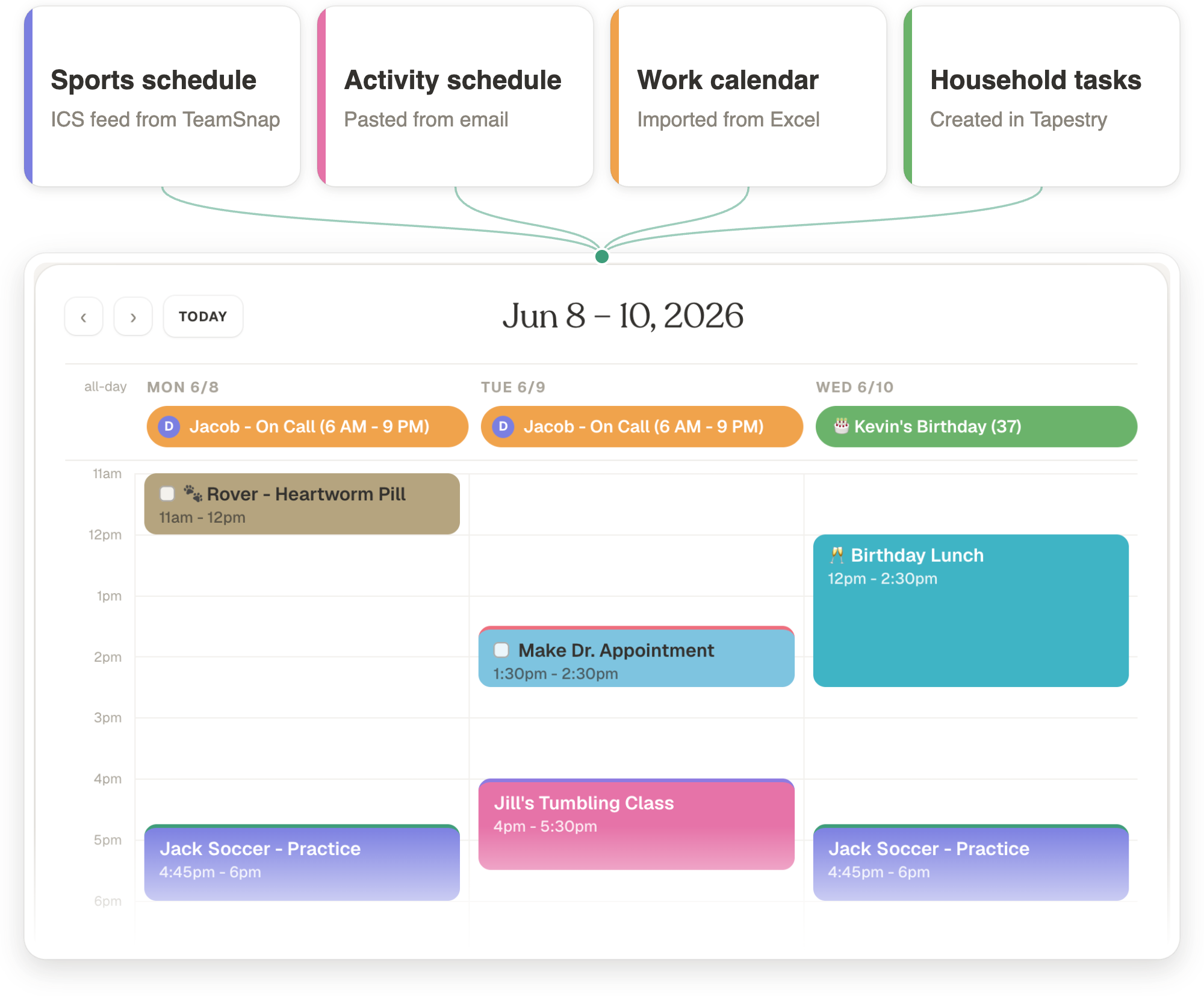
Sports apps, school feeds, work calendars, emailed schedules and everything in between. Tapestry weaves them into one view you can read at a glance, then publishes clean feeds anyone can subscribe to.
Connect Google, subscribe to any iCal feed (TeamSnap, LeagueApps, school, work), and for everything else, paste anything with dates. An email, a flyer, a web page: smart import turns it into events you review before they're added.
How smart import works →| Mon 9/7 | 7a–7p |
| Tue 9/8 | off |
| Wed 9/9 | 7p–7a |
Tag events by who and what, recolor and rename without touching the originals, and build views like "Kids' Activities" that show only what matters. Rules do the busywork, automatically, every sync.
Building rules that don't break →Invite your household to run it together, and give every view a private subscription link that works in Apple Calendar, Google, or Outlook. Nana gets Jack's games and Jill's meets; your own calendar stays complete.
Sync a view to Google Calendar →
New sports season, new shift rotation, new month for the gym or studio schedule: paste or upload the latest version and the source updates in place. Same rules, same colors, no rebuilding.
🎂 Kevin's Birthday (37) becomes (38) next year on its own. Add an emoji to any event so it reads at a glance.
Every occurrence gets a checkbox. Check it off, hide what's done.
Everyone in your workspace adds their own feeds and sees the same views.
Email or push, 15 minutes to a week ahead. Per-person, so yours never ping the family.
Every source is read-only. Your edits live as overrides in Tapestry.
Theme, colors, 12/24-hour clock, week start: each member sets their own preferences.
Five minutes from "it lives in TeamSnap" to games and practices alongside everything else. Works for LeagueApps, PlayMetrics, SportsEngine too.
Read the guide →One shared view with only the games, recitals, and school plays worth attending, shared out to your kids' biggest fans.
Read the guide →Subscribe a clean, filtered feed into Google: what carries over, and how to build a view that reads well there.
Read the guide →For more helpful hints, including tips for syncing, sharing, importing and more, check out the FAQs.
Open the app, connect a calendar, and start composing your first view in under five minutes.
